Invisalign: A Clear Choice for a Healthier, More Confident Smile
If you’ve ever felt self-conscious about crooked or crowded teeth, you’re far from alone. Research suggests that over 70% of American adults have some degree of malocclusion, meaning their teeth don’t fit together quite right. While misaligned teeth are often viewed as a cosmetic concern, the reality is more complex. Crooked, crowded, or poorly aligned teeth can contribute to serious oral health issues, including gum disease, uneven tooth wear, chronic jaw discomfort, and headaches.
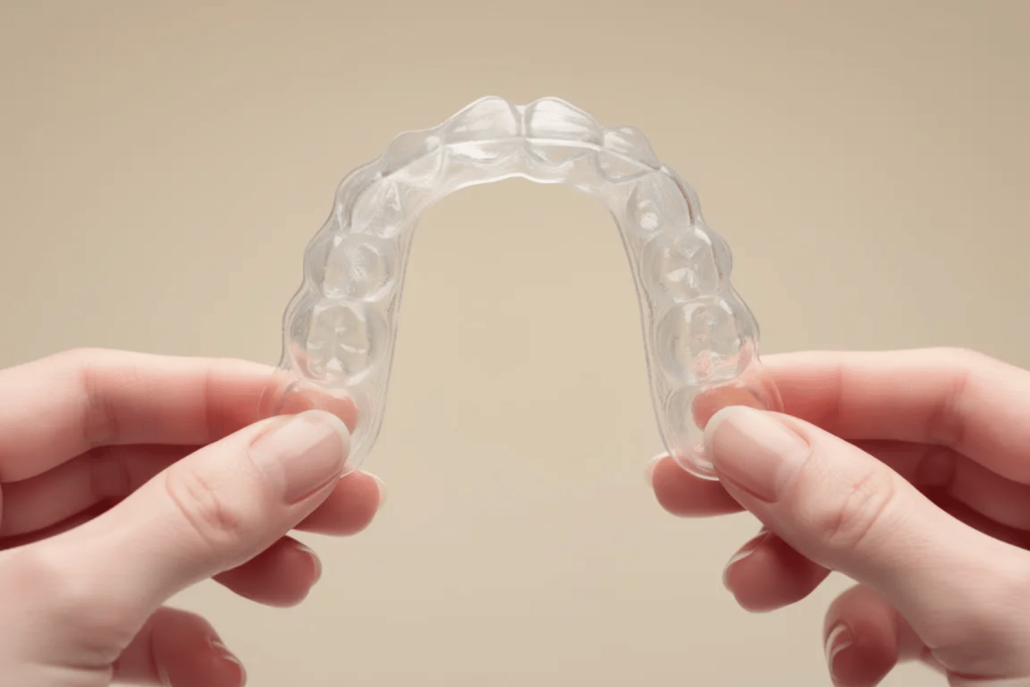
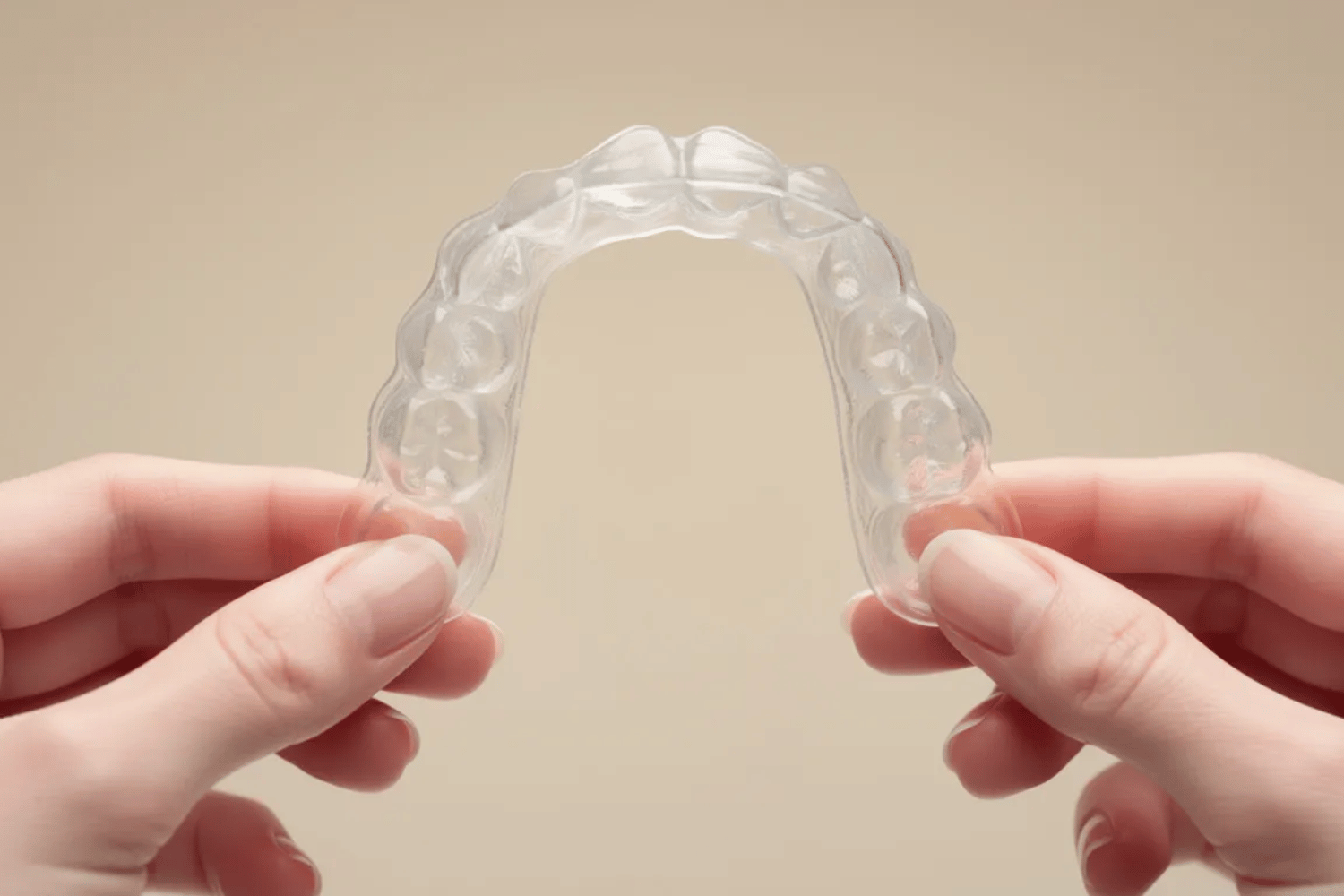
The good news? Modern orthodontic treatment has come a long way. Invisalign offers a teeth-straightening approach that uses a series of customized aligners made from smooth, medical-grade plastic to gradually shift your teeth into their correct position. Unlike braces with visible metal wires and brackets, Invisalign aligners are discreet, comfortable, and designed to support both function and long-term oral health.
Throughout this guide, we’ll explore the benefits of Invisalign from a health-first perspective—how improved alignment supports easier cleaning, reduces strain on the jaw, protects teeth from damage, and boosts confidence along the way. We’ll also walk through the treatment process, compare Invisalign to traditional braces, and explain how flexible financing options can make care more accessible. If you’re experiencing jaw pain, grinding, or difficulty cleaning your teeth, Invisalign may be about more than appearance—it may be about protecting your health.
Key Takeaways
- Invisalign uses custom-made, virtually invisible aligners to gradually straighten teeth through gentle pressure, offering a discreet alternative to traditional braces.
- Misaligned teeth are a functional health issue—not just a cosmetic one—and can increase the risk of gum disease, tooth decay, jaw pain, and tooth wear.
- Straighter teeth are easier to clean, helping reduce plaque buildup and inflammation that lead to long-term dental problems.
- Improved bite alignment may help relieve jaw strain, headaches, and nighttime grinding caused by uneven chewing forces.
- Most Invisalign treatment plans last 9–18 months, with aligners worn 20–22 hours per day and changed every 1–2 weeks.
- Today’s Dental offers up to 12-month in-office financing, making it easier to begin treatment without delaying care for financial reasons.
How Misaligned Teeth Affect Oral and Overall Health
Malocclusion refers to teeth that don’t align properly, including crowding, spacing, overbites, underbites, crossbites, and open bites. These conditions are extremely common and often develop gradually, which makes them easy to overlook—until symptoms begin to appear.
Crowded or overlapping teeth create tight spaces that are difficult to clean thoroughly. Food debris and bacteria accumulate in these areas, leading to plaque buildup. Over time, plaque hardens into tartar and contributes to cavities, gingivitis, and eventually periodontitis, which damages the bone supporting your teeth.
Bite misalignment can also strain your jaw and facial muscles. When teeth don’t meet evenly, certain areas absorb more force during chewing, clenching, or grinding. This imbalance may lead to:
- Jaw tension and fatigue
- Chronic headaches
- Tooth grinding (bruxism), often during sleep
- Chipped, cracked, or prematurely worn teeth
- TMJ (temporomandibular joint) discomfort
Beyond physical symptoms, misalignment can affect speech clarity, chewing efficiency, nutrition, and self-confidence. Left untreated, minor alignment problems often worsen over time, increasing the likelihood of tooth loss or the need for more complex dental procedures later.
What Is Invisalign and How Do Clear Aligners Work?
Invisalign is a system of clear, removable aligners designed to straighten teeth gradually using controlled force. Unlike traditional braces, which rely on fixed brackets and wires, Invisalign uses a series of custom trays that fit snugly over your teeth.
The treatment process includes:
- Digital scanning: Advanced 3D imaging captures precise models of your teeth—no messy impressions.
- Personalized planning: Software maps each movement step by step and previews your expected outcome.
- Custom aligners: Aligners are made from SmartTrack material, a BPA-free plastic designed for comfort and accuracy.
- Progressive wear: Each aligner is worn for 1–2 weeks, gently moving teeth toward proper alignment.
Treatment time varies:
- Minor corrections: ~9 months
- Moderate cases: 12–15 months
- More complex cases: 18+ months
Regular monitoring ensures safe, predictable movement that protects roots, gums, and jaw health throughout treatment.
Oral Health Benefits of Straighter Teeth with Invisalign
Proper alignment supports healthier teeth and gums by making daily hygiene more effective. When teeth are straight, all surfaces are easier to reach during brushing and flossing, reducing plaque retention and inflammation.
Improved alignment also helps distribute chewing forces evenly, protecting teeth from excess stress and wear. Over time, this can reduce the risk of enamel erosion, fractures, and jaw discomfort.
Invisalign, Jaw Pain, and Teeth Grinding
Jaw pain, headaches, and grinding are often linked to bite imbalance. When teeth don’t meet correctly, jaw muscles must compensate, leading to tension and inflammation.
Invisalign can help improve how teeth come together, reducing strain on the jaw joints and surrounding muscles. Many patients report less clenching, fewer headaches, and improved comfort after completing treatment. While Invisalign isn’t appropriate for every TMJ condition, correcting alignment is often an important part of reducing chronic jaw stress.
Confidence and Lifestyle Advantages
Invisalign aligners are clear and low-profile, making them ideal for adults and teens who want discreet treatment. They’re removable, allowing you to eat normally, brush and floss as usual, and maintain your routine without major disruptions.
Most patients begin noticing visible improvement within months, reinforcing motivation and confidence throughout treatment.
Invisalign vs. Traditional Braces
Both Invisalign and braces straighten teeth using controlled force, but they differ in daily experience.
Invisalign advantages include:
- Virtually invisible appearance
- Removability for hygiene and eating
- Fewer food restrictions
- Smooth, comfortable material
- Less frequent adjustment visits
Some complex cases may still require traditional braces, which your provider will discuss during your consultation.
Who Is a Good Candidate for Invisalign?
Invisalign effectively treats:
- Mild to moderate crowding
- Spacing and gaps
- Overbite, underbite, and crossbite
- Some open bite cases
Success depends on wearing aligners 20–22 hours per day and maintaining good oral hygiene. A professional evaluation is the best way to determine if Invisalign is right for you.
Cost, Insurance, and Up to 12-Month In-Office Financing
Invisalign treatment costs vary based on complexity, but fees are often comparable to traditional braces. Many insurance plans provide orthodontic benefits that apply to Invisalign.
To make care more accessible, Today’s Dental offers up to 12-month in-office financing, allowing patients to spread costs into manageable monthly payments. This removes a common barrier to care and allows patients to address alignment issues before they worsen.
Straightening your teeth isn’t just an aesthetic decision—it’s an investment in comfort, oral function, and long-term health.
 The Today’s Dental Difference
 The Today’s Dental Difference
At Today’s Dental, Invisalign is approached through a health-first lens. Your care team evaluates bite balance, gum health, jaw function, and long-term stability—not just appearance.
Using advanced digital technology and personalized treatment planning, Today’s Dental supports patients from consultation through retention, with flexible financing designed to fit real life. The goal isn’t just straighter teeth—it’s healthier smiles that last.
Ready to Protect Your Smile and Your Health?
If you’re dealing with jaw discomfort, grinding, difficulty cleaning your teeth, or early signs of wear, Invisalign may be the solution you’ve been waiting for.
Schedule your free Invisalign health consultation at Today’s Dental and ask about financing. Your path to better comfort, confidence, and oral health can start today.
Frequently Asked Questions
Is Invisalign considered cosmetic or medically beneficial?
While Invisalign improves the appearance of your smile, its benefits go well beyond cosmetics. Correcting tooth alignment can reduce gum disease risk, protect teeth from uneven wear, improve bite balance, and relieve jaw strain or grinding. For many patients, Invisalign is a preventive health investment.
Can Invisalign help with jaw pain or teeth grinding?
In many cases, yes. Misaligned teeth can place extra stress on the jaw joints and muscles, contributing to TMJ discomfort, headaches, and bruxism (teeth grinding). By improving how your teeth fit together, Invisalign may help reduce this strain and improve overall comfort.
How long does Invisalign treatment usually take?
Treatment time varies based on the complexity of your case. Minor alignment issues may take around 9 months, moderate cases typically last 12–15 months, and more complex cases may take 18 months or longer. Your dentist will provide a personalized estimate during your consultation.
Do I really have to wear Invisalign aligners 20–22 hours per day?
Yes. Consistent wear is essential for predictable results. Aligners should only be removed for eating, drinking anything other than water, and oral hygiene. Wearing them as directed helps keep treatment on schedule and reduces the need for refinements.
Is Invisalign affordable with financing options?
Yes. Many dental insurance plans contribute toward Invisalign treatment, and Today’s Dental offers up to 12-month in-office financing to help make care more accessible. This allows patients to begin treatment right away while spreading payments into manageable monthly amounts.

